Skip to content


As we have mentioned in the previous section of our Magento tutorial the application provides you with a huge variety of functionalities that you can use to manage the content and appearance of your website. That is why in this article we will cover some of the most important and basic functions of the script administration area.
The first step you need to perform is to access your websites dashboard using the administrative URL you have set during the installation.
Once you are logged in you will be able to see the home page of the administration area. In order to help you understand the separate sections located in it we have divided it and placed number on each of the important items, which we will explain later in the article:
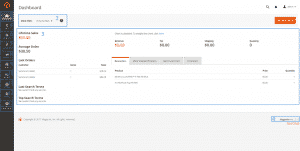
Let us shed some light on the different sections one by one now.
1 – This is the Home button of the dashboard and it will bring you to the overview page if you are located in a specific menu.
2 – The Store View drop-down menu allows you to specify if you want to manage the main store dashboard or one of the secondary stores (if you are using the multi-store feature).
3 – This section of the dashboard provides you with statistics associated with the selected store. Here you can review the number of sales, the average amount of the purchases, the last orders history, information about the best-selling and most viewed products and the customers. You can also check what are your customers interested in based on the searches made on the website.
4 – This field allows you to check which is the exact version of Magento that you are using.
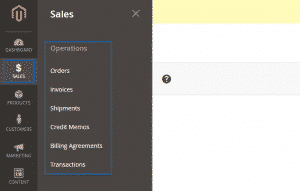
5 – The Sales section of the main menu allows you to access various functionalities concerning the orders, invoices, shipping, billing details and transactions:
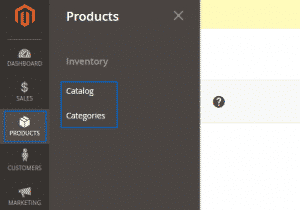
6 – From the Products section you can navigate to the features that allow you to manage the products and categories and also add new ones to your store:
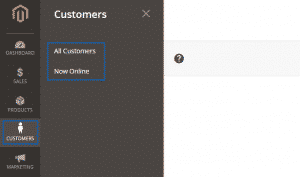
7 – The Customers section gives you the opportunity to manage the customers of your website and add new ones:
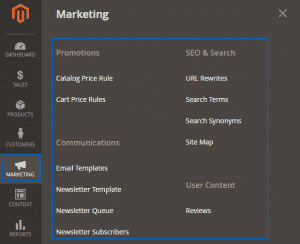
8 – Marketing section – it provides access to the promotions and communications management and the SEO:
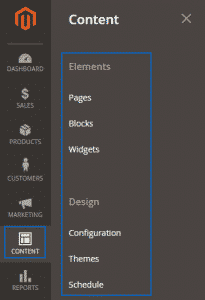
9 – From the Content section you can manage the pages, blocks and widgets on your website and also configure the appearance of the platform:
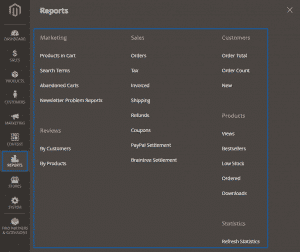
10 – Reports – from here you can obtain detailed statistics for the products, sales, customers and other entries:
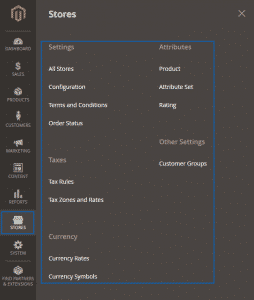
10 – Stores – here you can configure the settings for your store:
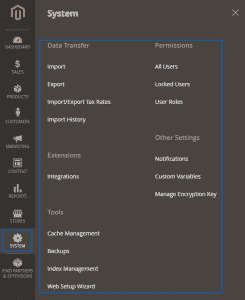
12 – System – from here you can manage the platform as a whole. You can import or export data, manage cache, indexing and backups. You are also able to manage the users permissions and roles and a lot of additional features:
13 – Find Partners & Extensions – this will lead you to the overview page or the Magento marketplace.