Skip to content


With this VirtueMart hosting package you will never be on your own. Our expert VirtueMart technical support team will make sure that you have a bug-free and secure VirtueMart installation in less than 10 minutes, complete free of charge. The VirtueMart installation can be requested from the client’s area -> Get Support section -> Submit Support Ticket.
Virtue Mart requires Joomla (or Mambo) CMS platform to be installed prior the VirtueMart installation process due to the fact that it is not a stand alone application but a component extending the standard functionality of your CMS. You can follow our tutorial here (https://www.tmdhosting.com/tutorials/joomla15/joomla15-auto-installation.html) on how to install Joomla. In this tutorial we will provide you with step by step instructions on how to install the Virtue Mart component on your already existing Joomla application.
First you should download the VirtueMart Complete Package for Joomla! 1.5 from the official website (https://virtuemart.net/index.php?option=com_content&task=view&id=54&Itemid=147) and unzip the archive on your local computer. In the archive folder you should have the VirtueMart.
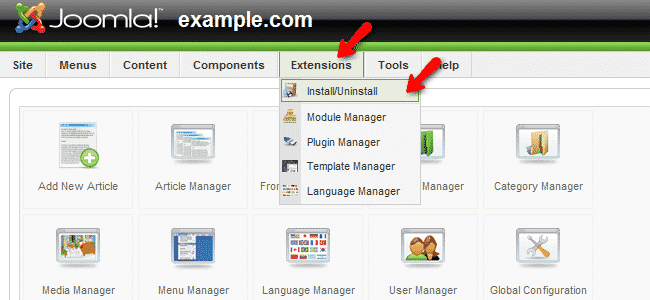
When you have the component on your local computer, please refer to the administrative area of your Joomla application which can be generally accessed via https://yourdomain.com/administrator. As soon as you login with your administrative username and password, please navigate to the Extensions -> Install/Uninstall tab.
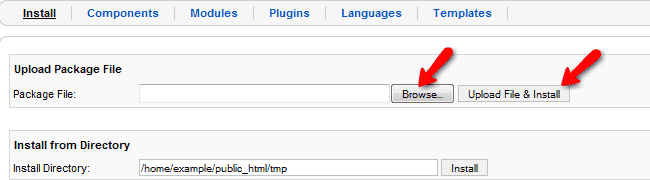
From the Extensions Manager you should click on the browse button and select the VirtueMart com_virtuemart_1.1.x.x.zip file package from your local computer and click on the Upload File and Install button.
If the installation process is successfully completed, the following page will be displayed on your end.
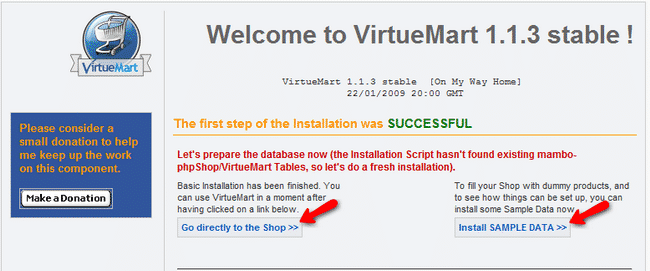
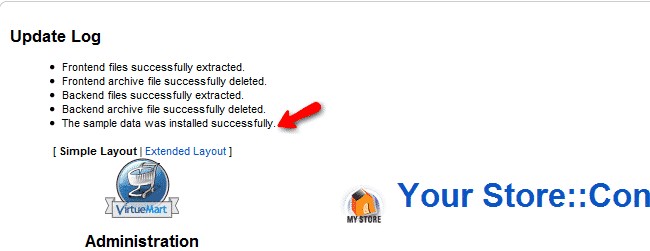
From this page you can either go to the shop or install Sample data which will populate your database with demo products. If you are new to VirtueMart it might be a good idea to install the sample data and use the products as examples while building your store. If you install the demo data you will be redirected to the VirtueMart component page in your admin area.
Now you must install the VirtueMart “Main Module” which should be located in the VirtueMart_1.1.x-COMPLETE_PACKAGE.j15/modules/ directory on your local computer. In Joomla administrator panel, click Extensions ⇒ Install/Uninstall in the Top Menu and choose the file mod_virtuemart_1.1.x.zip in the File Dialog and click ‘Upload File & Install’.
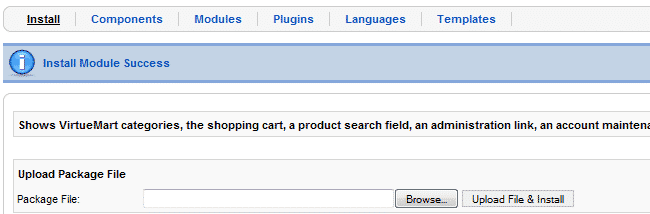
Repeating this step you can install the additional modules for VirtueMart located under the same directory on your local computer.