SilverStripe Hosting Package

Start your SilverStripe website in a few clicks with TMDHosting's SilverStripe hosting package:

  • Free Domain Name
  • Free SilverStripe Installation
  • Free Modules Installation
  • Free Themes Installation
  • 24/7 Free Premium Support
  • Great SilverStripe Performance
  • Daily SilverStripe Backups
View more
Tutorials SilverStripe Create a new page

SilverStripe Tutorial

How to create a new page in SilverStripe

We will show you in a few simple steps how to create a new page and publish it using SilverStripe.

The first step is to login to the administrator back-end of the CMS:

http://yourdomain.com/index.php/admin

The above will be valid if you installed SilverStripe under the www root folder of your hosting account. If you have installed it under a subfolder, add the subfolder name before the index.php in the above line.

When you are logged you will notice a few important menus in there:



We will be using the first menu which is “Pages”. When selected it will load the website structure:
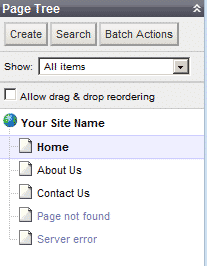


Also right above the pages tree you will notice the create new page button:
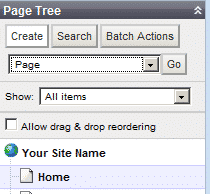


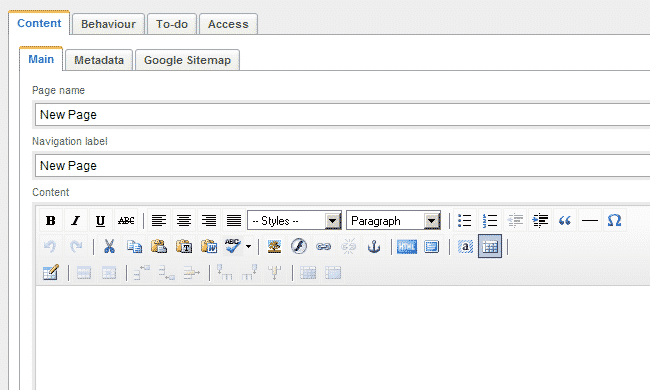
When you click on the “Create” button it will load a drop down menu with a few items on it. We are using the “Page” one. Now click “Go” and the new page will load in the website tree and on the left panel where you can start adding the content you will need on it:


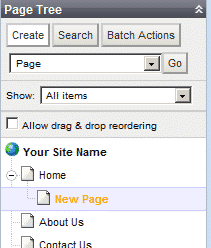
As this newly created page is not published yet we will select it in the pages tree:


Now the page is loaded and we will publish it to make it visible on the front-end of the CMS:
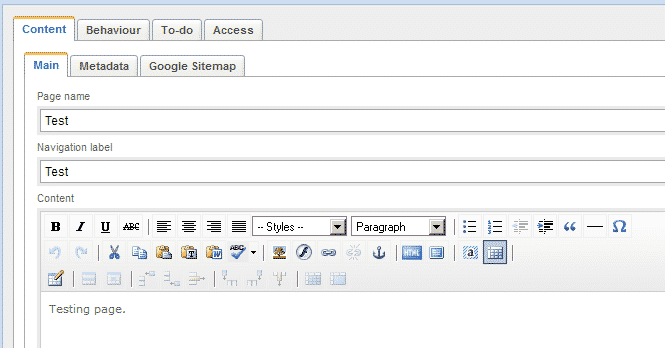


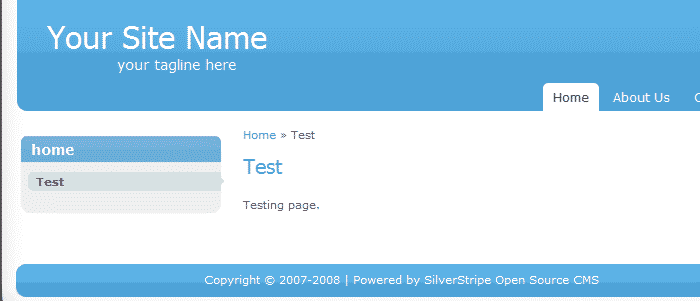
After you have added the content you need hit the “Save and Publish” button on the bottom right corner of the editor and the new page will be available for access:




Continue with: How to change the tagline/slogan and the site name in SilverStripe

All-in-one SilverStripe Package

  • Free Domain Name
  • cPanel & Fantastico
  • Unlimited Space & Traffic
  • Softaculous Autoinstaller
  • Unlimited MySQL Databases
  • FFMPEG Audio/Video
  • Unlimited Email Accounts
  • Free SSH Access
  • Immediate Activation
  • 24/7/365 Live Monitoring
  • Free 24/7/365 Support
  • 30 Day Money Back
  • No Addition Charges or Fees
  • Tell me more >>
 
Free SilverStripe Installation Free SilverStripe Installation
With this SilverStripe hosting package you will never be on your own. Our expert SilverStripe technical support team will make sure that you have a bug-free and secure SilverStripe installation in less than 10 minutes, complete free of charge.
Free SilverStripe Modules Installation Free Modules Installation
Put no limits on your SilverStripe website functionalities by getting new features and addons. As a part of our free premium support service we will install any SilverStripe extension on your website completely free of charge.
Free SilverStripe Upgrades SilverStripe
Free Upgrades
Your SilverStripe security and reliability has always been our top priority. This is why TMDHosting expert SilverStripe support team will provide you with free SilverStripe upgrade so that your SilverStripe website is always up-to-date!
Free SilverStripe Templates Installation Free Templates Installation
Having a great-looking and unique SilverStripe website has never been easier before. Simply choose the SilverStripe template that you would like to have on your SilverStripe website and our professional tech support team will install it for free in almost no time.
Contact us:
Copyright © 2007 - 2013. TMDHosting, Inc. All rights reserved.