Skip to content


In this section of our Magento Tutorials we will provide you with the Basic Steps of creating and managing the Products in your Magento Online Store.
As one of the base functionalities of Magento is creating an online store, we will now provide you with more information so you can better familiarize yourself with the basics of creating a new Product and the different options that you have.
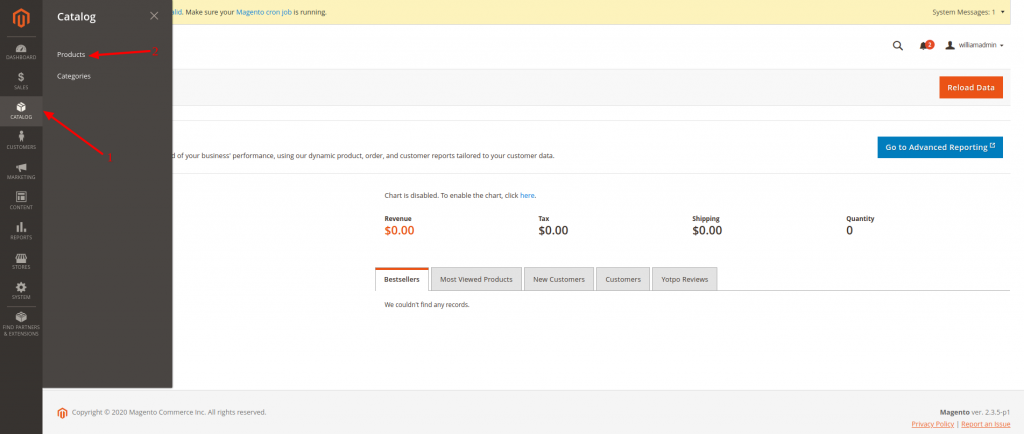
The first step would be to access your Magento Admin Area Dashboard and navigating to Catalog (1) > Products (2) as you can verify from the following screenshot:
You will be immediately taken to the Overview page for all of your available products and since in our case, we are using a new Magento installation, we do not have such created yet. The page should look something like this:
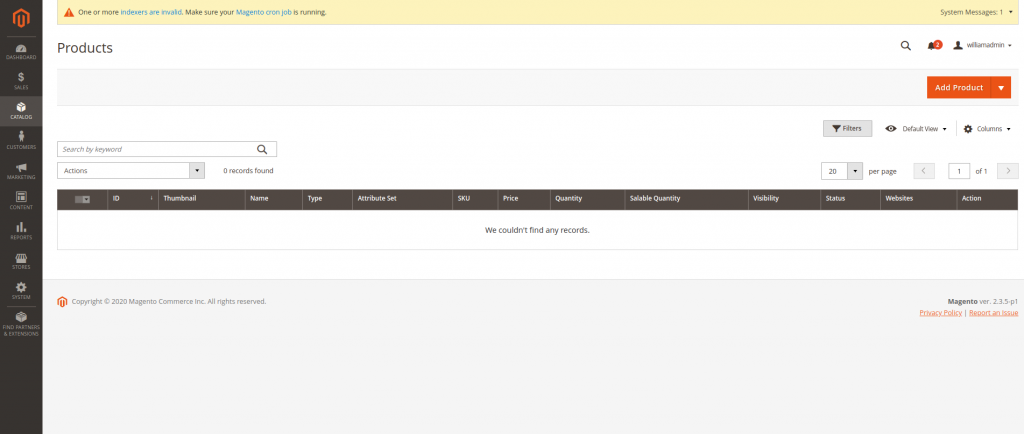
In here, you will be able to add and edit your Magento Products, and below we will provide you with the steps and necessary information on how to create a new Product. Editing the Product is fairly similar, as the same information that we are about to share applies to that task as well, therefore, once you are familiar with the different options that you have available, you will be able to Edit your Products with ease as well.
In order to start, click on the “Add Product” button on the top right corner of the page, which will take you to a new page that should look something like this:
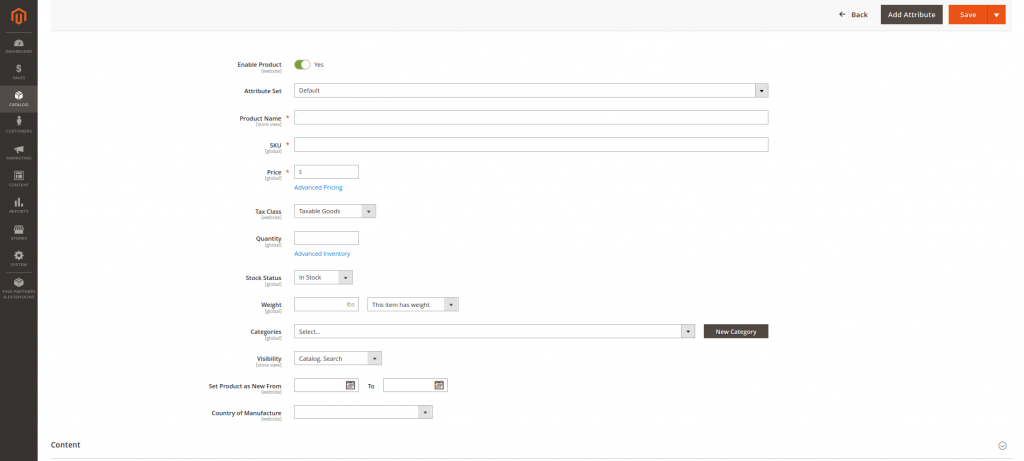
The options that you need to setup here are the following:
- Enable Product – Whether the Product will be visible on your Store’s frontend, or in other words, whether your visitors will be able to see it and whether it is available for purchase.
- Attribute Set – We have covered in a previous Tutorial how to create Attribute Sets, therefore, if you have such available, you can select them from the drop-down menu here. If you haven’t created an Attribute Set, you can refer to our Tutorial on how to do so.
- Product Name – This is the name of the Product that your customers will see
- SKU – An unique Product code for identifying the product, so you can easily manage it
- Price – The specific amount that you want to sell the product for. You can also click on the “Advanced Pricing” button, so you can set even more specific attributes for the price of the Product, for instance, a price that is available for only a certain period of time.
- Tax Class – This is a drop-down menu, that will allow you to select from different Tax Classes available
- Quantity – The number of products of that type that you have available for sale
- Stock Status – Whether or not you have the product available for sale
- Weight – Regardless of whether this is important to your customers, you should select the product weight, due to the fact, that it might be used to calculate shipping costs
- Categories – This is a drop-down menu, from which you can select the Category in which the product will be available. We have also covered Magento Categories in a different Tutorial, therefore, if you need more information on that, you can refer to it.
- Visibility – Whether the product is visible in your Categories and Search Results, just one of them, or neither of them
- Set Product as New From – Since Magento has an option to filter your Products by “New” your customers might be interested only in the “New” Products that you add to your store. This option allows you to set the time frame in which the Product will be considered as “New”
- Country of Manufacture – The country in which the Product was fabricated
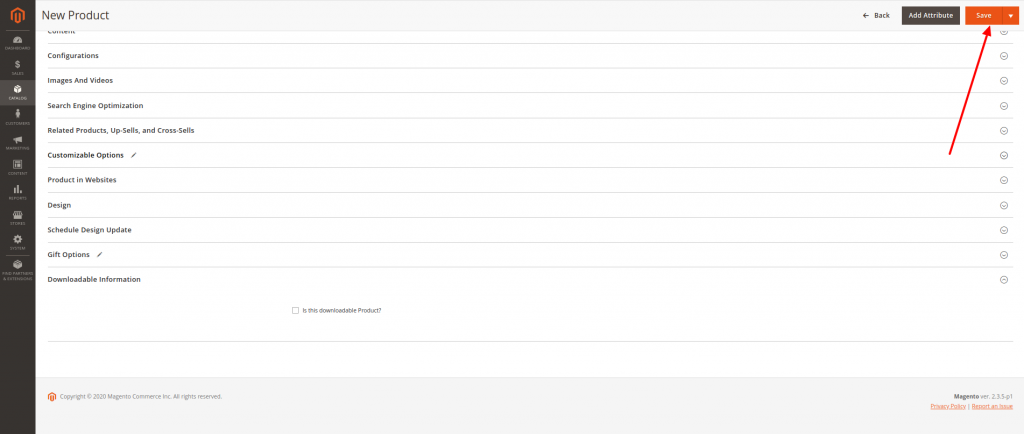
The next section of adding a new Product will be the “Content” one, which you can verify from the screenshot below:
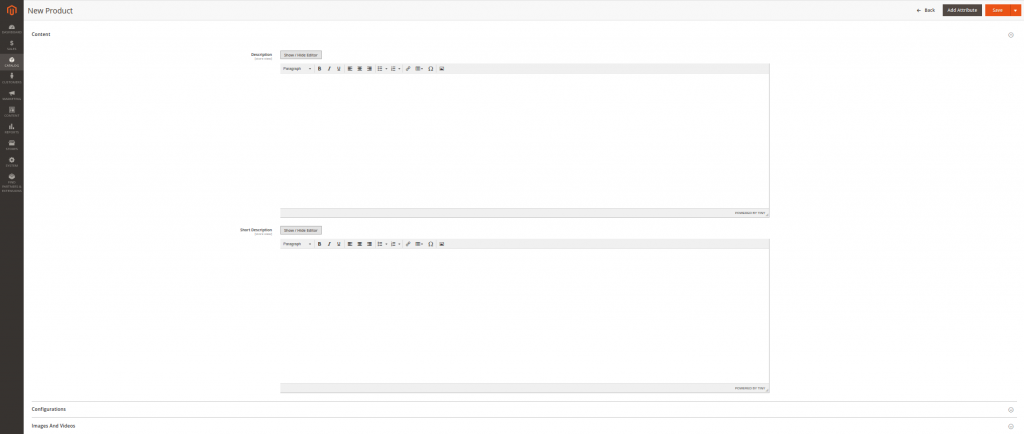
In here, you will be able to provide a description and a short description of your Product that your Clients will be able to see.
Next comes the Product Image and Video Section:
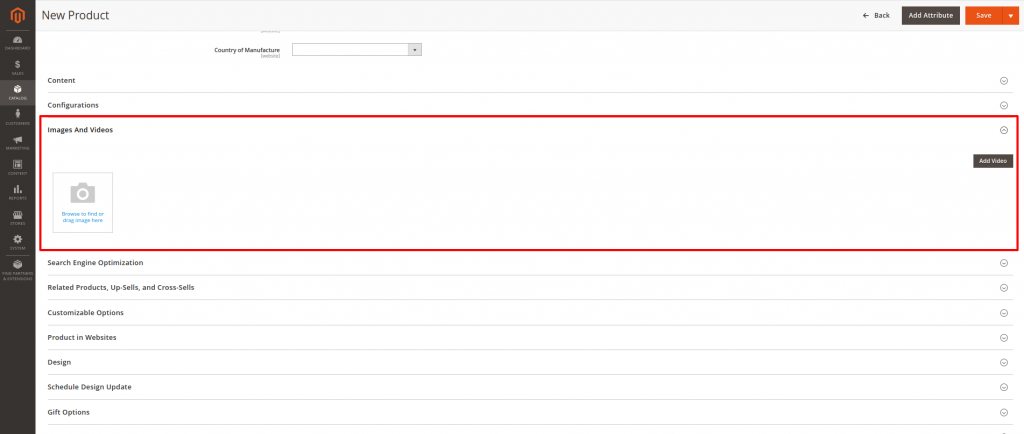
In here, you will be able to Upload an Image or a Video from your local device, that describes your Product for your Clients to see and review.
After that comes the Product SEO (Search Engine Optimization). As you already know from our previous Tutorials SEO is important, in order to get more people to find your Store and the Products that you are offering on the Web. Therefore, the Magento developers have implemented the option to create the Product Meta Tags and Friendly URL options directly in the Product creation screen:
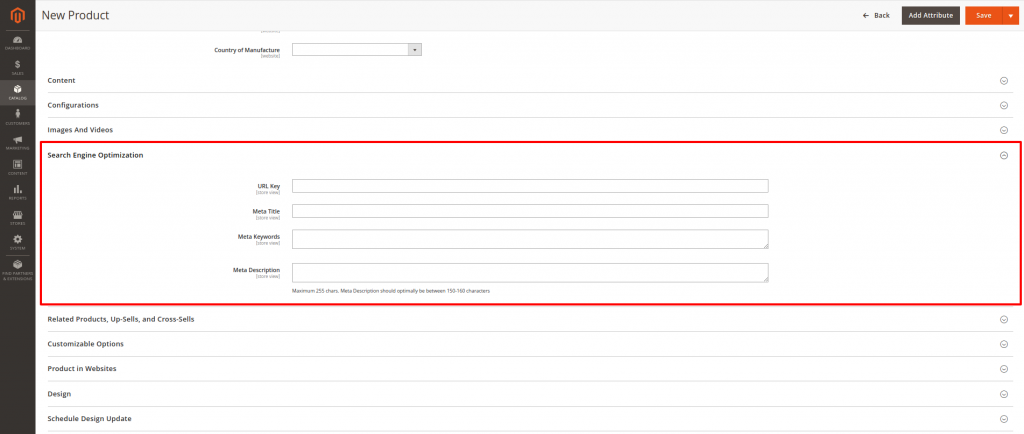
Further down, you will find the Related Products, Up-Sells, and Cross-Sells option:
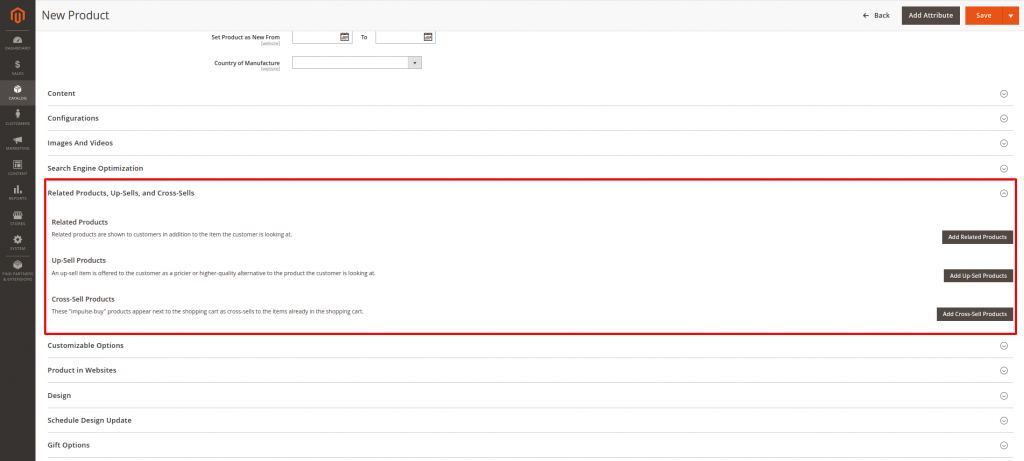
- Related Products – This is where you can select another of your Available Products as a Related to the current one. In other words, if you are selling computer hardware, for instance, if the new Product is a Keyboard Model, you can add a Mouse Model as a related Product that your Clients can see on the same page as the current Product as a suggestion for their next purchase.
- Up-sell Product – Here you can add another Product that you offer of the same type, that is of a higher quality and price, in case they change their mind and want to go for the better option
- Cross-Sells Product – Here you can link your best selling products on the website, so your clients can also see their available options, and add another product to their card, that they initially did not intend to
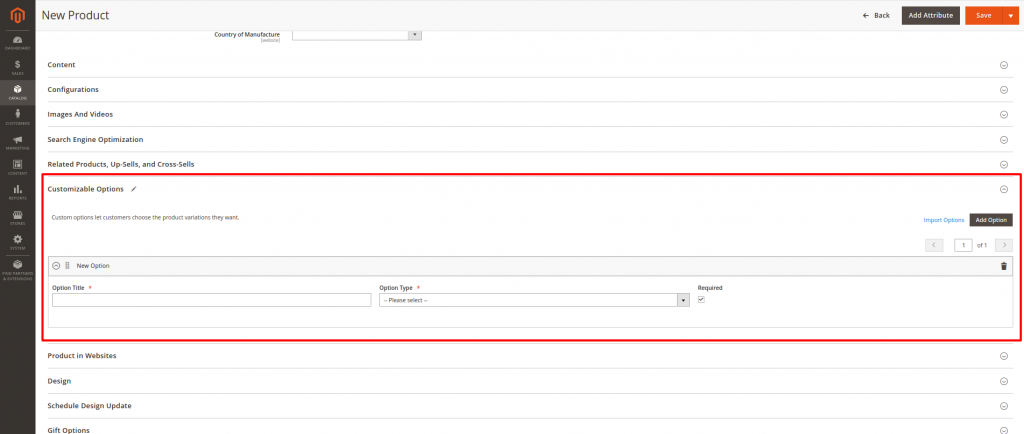
The next available category in the Product Creation process is the “Customizable Options”, which allows you to set different options for your Products that your Customers will be able to see and select according to their preferences:
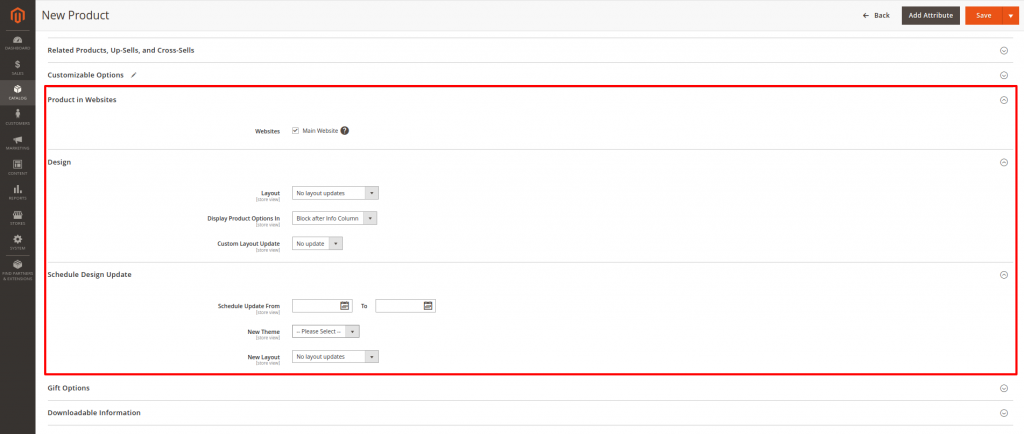
The next three options “Product in Website”, “Design”, and “Schedule Design Update” are simply cosmetic options that allow you to make changes on how the Product Page is displayed for your Clients, that you can modify to your liking:
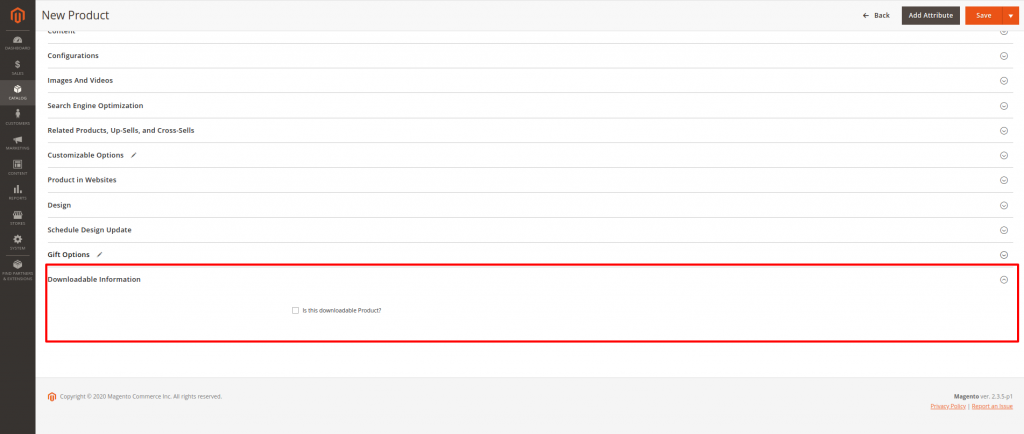
And the final important item of interest would be the “Downloadable Information” category, where you can set whether the item is a virtual downloadable piece of information, such as a Video Game License Code, for instance. In order for you to be able to use this option, you would need to select the initial Weight Value to “This item has no weight”:
Once everything is ready, click on the Save Button on the top right corner, and your Product will now be available in your Online Store: